Gmail, the email service Googleis a tool that has become vital for a large portion of users, especially those who use… Android operating system on their mobile devices.
If you use it for all your needs Email accountsIt is likely that over time you will find yourself with a crowded inbox, especially if you have more than one account, full of messages and attachments that take up a lot of space.
Having everything saturated is not good news for the organization or for knowing how to message well. This happens because there is a new excessive amount of information distributed in different emails and because the more information saturation you have, the worse the application works.
The good news is that you free up space Email service From Google and keeping your inbox organized is an affordable task. Today you will learn how to free up space in Gmail, with different tips that you will be able to read.
Free up space in Gmail:
Junk mail
The first thing to free up space in Gmail is to get rid of spam emails.
spend some time Check your inbox, spam, and junk folders.
You should identify and delete those messages that no longer mean anything and are not relevant at all or are so outdated that they are no longer meaningful. You can delete old notifications, newsletters you don’t read, and emails you don’t need to keep.
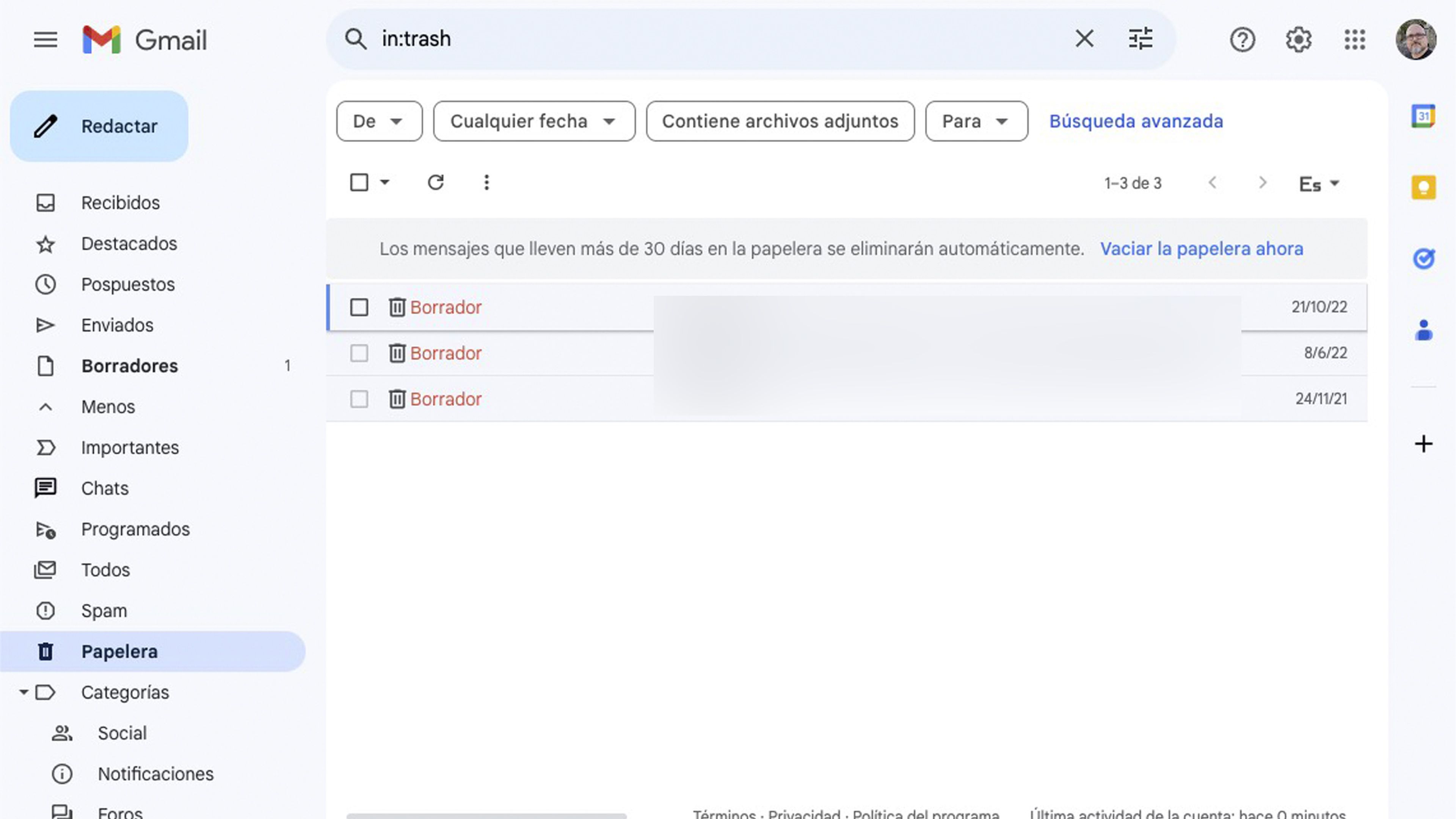
Empty your trash and spam
You should know that deleting emails in Gmail does not mean that they are deleted permanently or not immediately, they are just that Stored in the trash and spam folder.
To free up real space, you must ensure that the Recycle Bin and folder Spam emails It’s completely empty, this way all this information will be permanently deleted and won’t take up ridiculous space.
Everything in the Trash is deleted every 30 days, unless the user changes it.
Make sure to empty your Trash and Spam folders regularly. This way, your deleted emails will be permanently deleted and your storage space will be restored.
Filter attachments
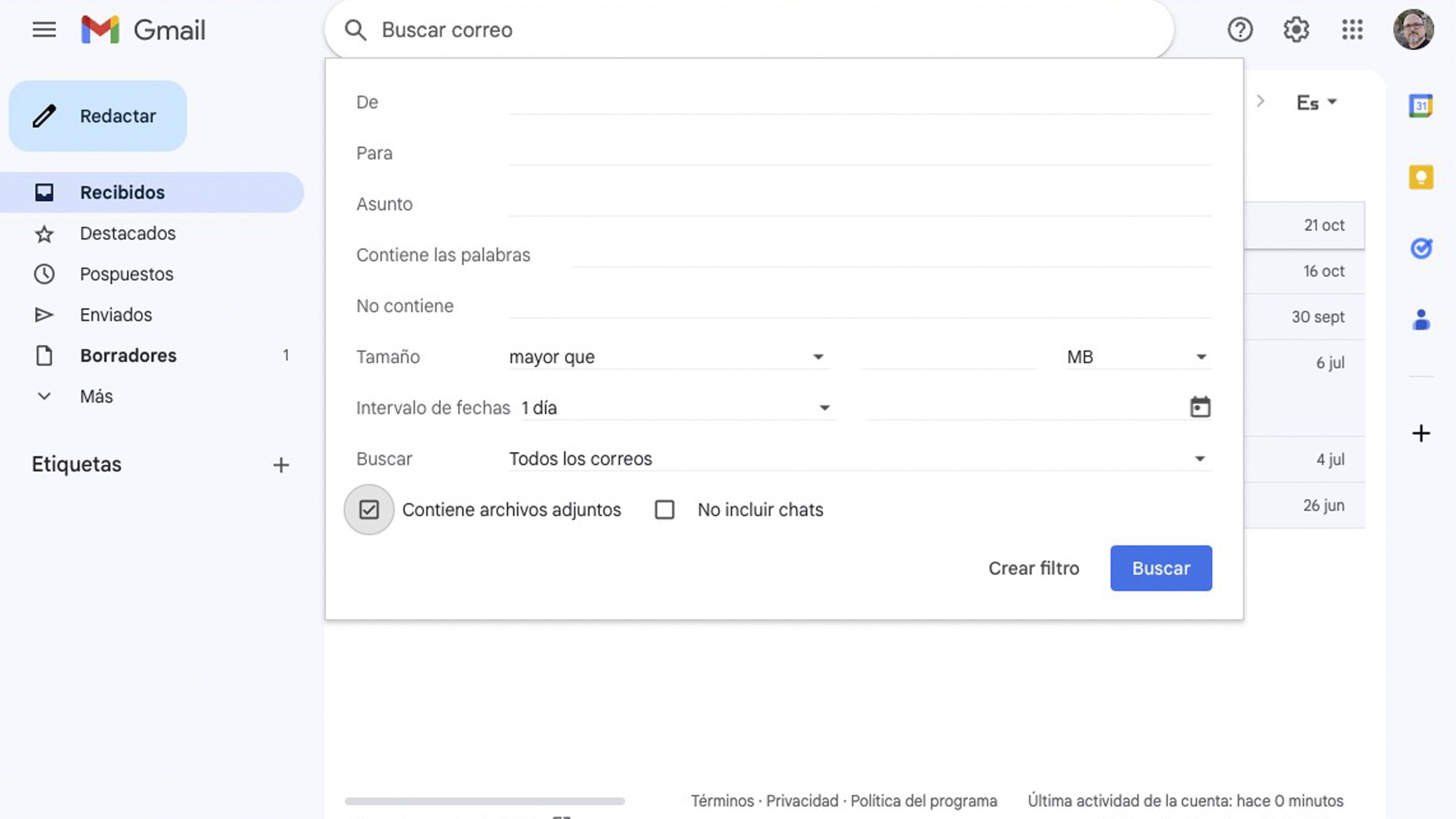
Emails with attachments such as presentations, documents, videos, and photos usually take up the most space.
To easily find them in your inbox, you should use the search engine filters in the top bar.
When you’re there, check the box Contains attachments And it hit the spot research.
You should take a look at keeping those messages that are still essential and you don’t want to delete, so as to protect them.
You can delete the rest, and see how you get a huge amount of space, especially if you have a lot of space accumulated.
Emails with large attachments
Emails with large attachments can be the biggest cause of space consumption.
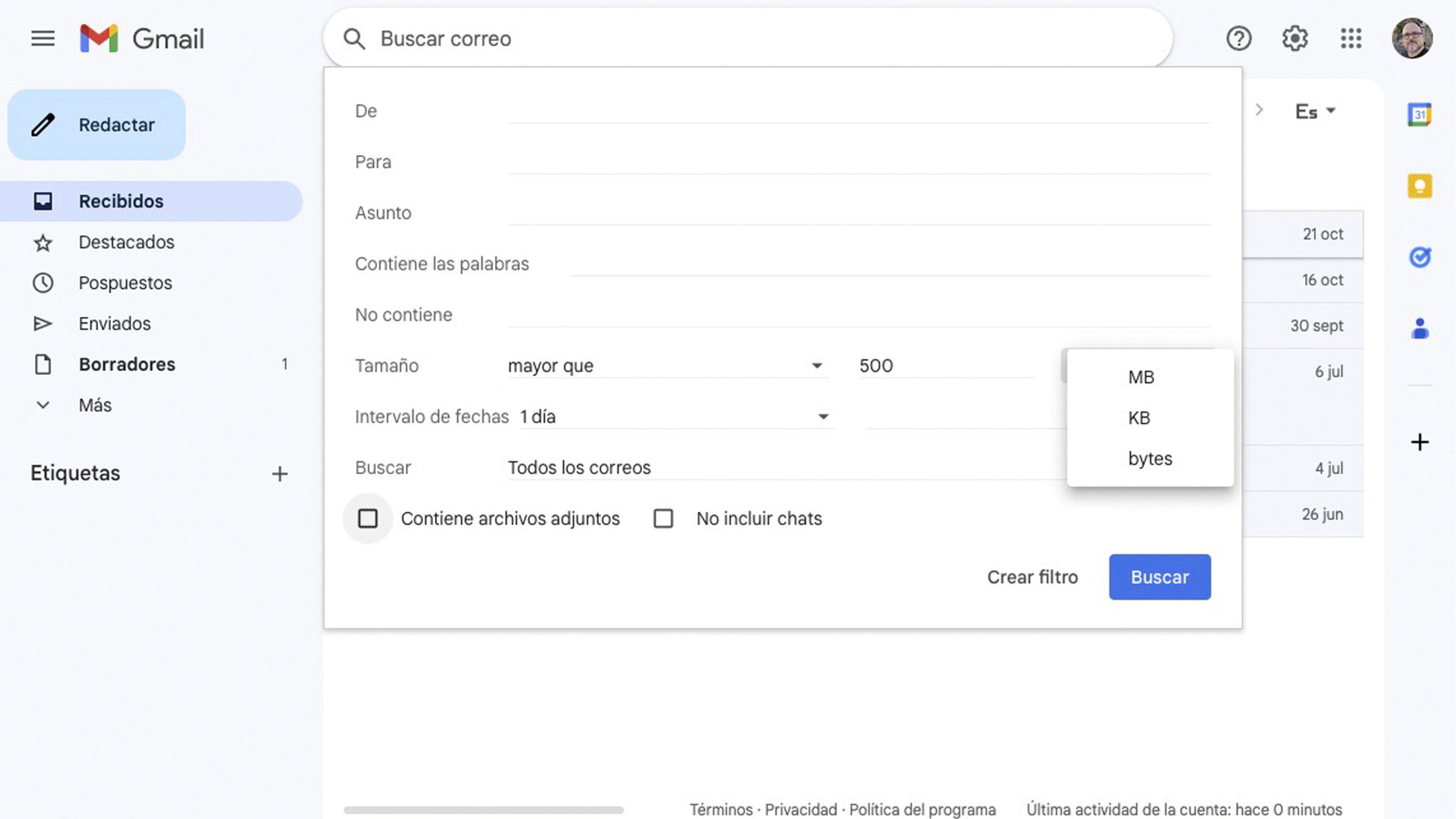
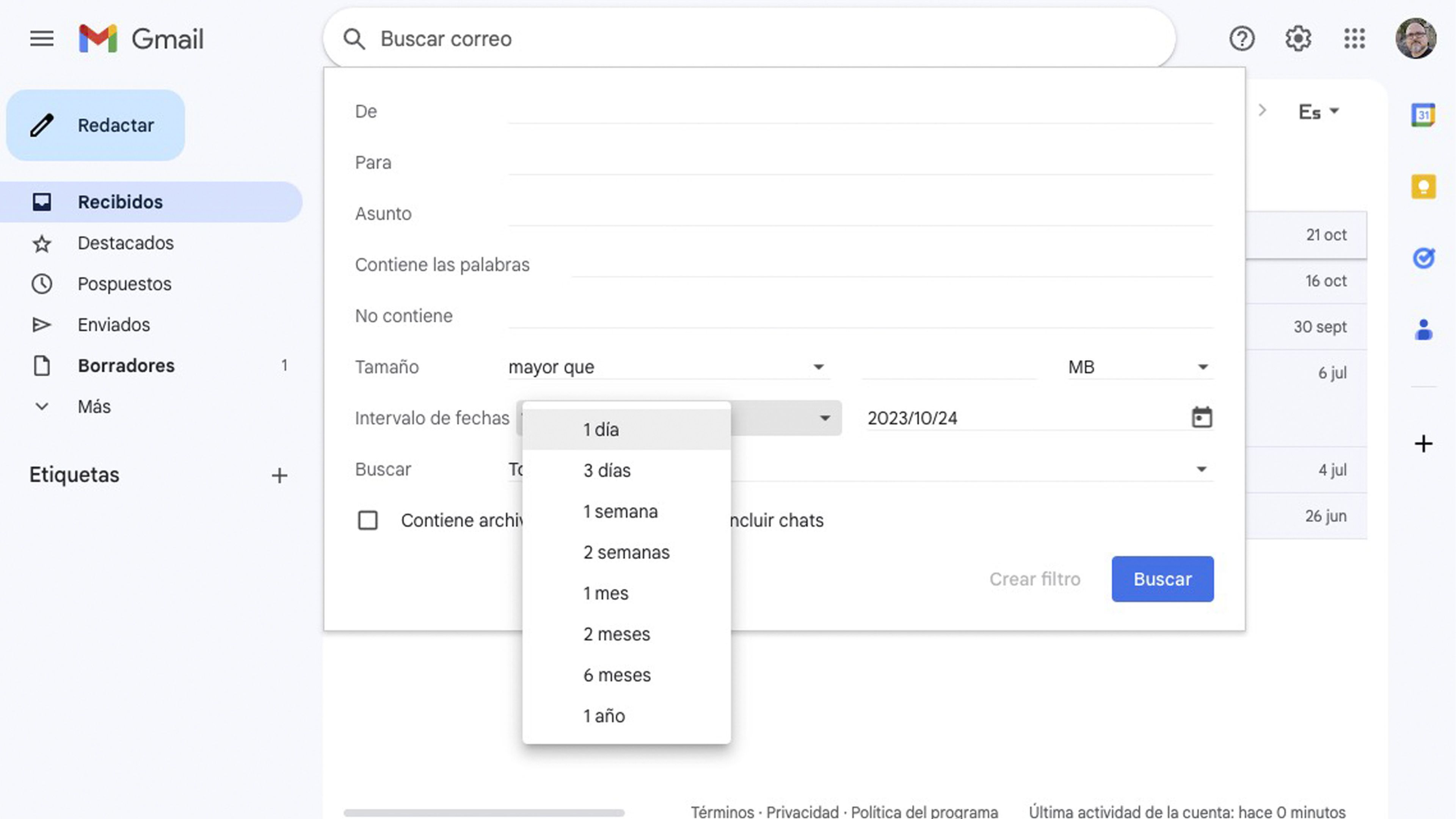
You must use the search option measuring In Gmail, pointing to more than In the drop-down list and put the megabytes or gigabytes of what you want to search for, in this way you will find emails containing large files and you will decide whether you should delete them or download the previously attached files to your device and then delete the messages so that they stop taking up space.
Filter by format and date
In the case of attachments, you’ll also be able to filter by format. That is, ask Gmail to show you only those that contain an attachment in a specific format like MP3, PDF, JPG or whatever you want.
On the other hand, you can delete emails by specifying the date they arrived. You can get rid of older messages, i.e. if you have emails that are more than 5 years old, most likely none of them will be useful to you.
In the search engine, enter the date or dates listed Appointment rangeso you will only see the ones you just selected.
Tags and categories
Gmail offers options for organizing your emails Using tags and categories.
Take advantage of this function for Categorize and archive emails That you want to keep without cluttering your main inbox.
It is a very effective way to organize your inbox that will save you a little space without much difficulty.
Cloud storage and Google Drive
Perhaps one of the most effective ways, especially if you do not want to spend a long time searching for emails that you want to delete and those that you do not want to delete, is to take advantage of cloud storage, for example Google Drive or OneDrive, among others.
Can Store attachments in the cloud So you don’t have to delete it.
You can also choose to share links to these files. This will free up space in Gmail, as well as make it easier to manage all the files you had and still have.
Subscription management
Over time, you may have subscribed to several newsletters and mailing lists.
You should check yours inbox and unsubscribe from those that no longer interest you. This will reduce the amount of spam that reaches your inbox and will help keep it clean.
If you take advantage of all these tips that you have read, you will definitely be able to free up a lot of space in your email account, in order to keep your inbox better organized and not too saturated.
Now you know how to free up space in Gmail, so the rest is in your hands.