


Did you know that you can use the official version of Microsoft Office online for free? Also known as Microsoft 365, this package is available for general use in any browser. Of course, you will lose some features. But if you need to quickly open or edit a Word, Excel, or PowerPoint file, the web version can do the job better. Here we explain How to use Microsoft Office online for free And what features are there in this web version.
How to use Microsoft Office on the web for free
To access the free version of Microsoft Office, all you need is a Microsoft account and an Internet connection. Below, we explain the steps.
Step 1: Open your preferred browser and go to the website Microsoft Office.
Step 2: Sign in to your Microsoft account. If for some reason you don't have one yet, you can create one by clicking Sign up for the free version of Microsoft 365.
Step 3: Access Word, Excel or PowerPoint in different ways. We tell you how to do it.
After signing in, you'll be greeted with a dashboard where you can access all your files stored in OneDrive, along with several Microsoft web apps like Word, Excel, and PowerPoint. From here, you can choose to open an existing file or create a new one using the icons available at the top of the screen.
You can also select an application from the left panel to see the latest files and some templates for that particular application: Excel planning sheets, Word resumes, etc. Likewise, you can upload a document, spreadsheet, or presentation from your computer with a button Take it away.
Each new file opens in its own tab, so you can work in multiple Word, Excel, and PowerPoint tabs at the same time if you need to.
How to edit files in the web version of Microsoft Office
If you've used the desktop versions of Microsoft Office (or Microsoft 365), the web interface will look very familiar. The Tools menu allows you to format text and insert new elements, for example, at the top of the tab. Of course, the features available will vary depending on the app you're using.
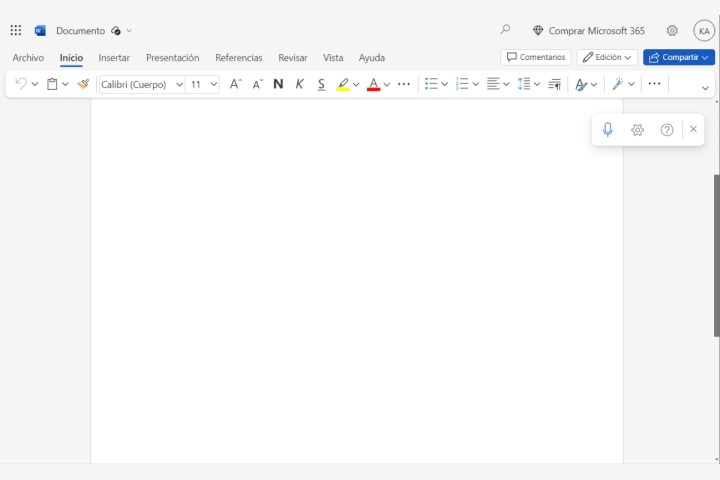
In the upper-right corner of the screen, you have controls for adding comments, sharing the file with others, collaborating with them, and switching between different modes of operation: Edit, Review, and View. If you have it installed, you also have the option of opening the file in an equivalent desktop program.
Microsoft Office Web Apps provide an intuitive experience for users at all levels. If you face any difficulties, don't worry, you have a useful search box at your disposal and an option to get more help from the relevant menu.
In addition, these web applications are robust and allow a variety of actions from selection and dragging to right-clicking. You don't have to worry about saving your changes because everything is automatically saved to the cloud. However, if you need a local copy, you can always go archive.
Limitations of the web version of Microsoft Office
Office online applications are simplified versions of desktop software, so many people won't notice the differences, especially if their needs are basic. You can easily open and edit files in all apps, and your work is automatically synced to your OneDrive account for added convenience. However, each has some limitations.
Microsoft Word Web Edition
In this app, you won't have access to certain layout features, such as the option to display grid lines or the option to create columns in your document. It doesn't allow you to add watermarks, themes, or page colors, or insert graphics, bibliography, or citations. Some other advanced features like mail attachment are also disabled.
Microsoft Excel Web Edition
The differences in using Excel Online aren't immediately apparent – the differences only show up when you dig deeper and start accessing more sophisticated tools. The web version doesn't offer many chart types, for example, or many data import options, and you can't name selected ranges—all features that only advanced users need.
Microsoft PowerPoint Web Edition
In this app, the same happens as in the web version of Excel. The interface and features are familiar until you try to go beyond the basics. The online tool has fewer animations and transitions to choose from, can't import audio or graphics, and limits how slideshows can be played. There are many core functions, but if you are an advanced user, at some point you will need to use the full desktop application to continue your work.
Author's recommendations








